
Tag Inputs
A tag input collects several short values in one field, committing each to a chip the reader can see and remove. It is the right control when the answer is a set rather than a value (recipients, labels, filters) and when the reader benefits from watching that set build. Four blocks cover people with faces on their chips, labels that fold into a counter when the row fills, free typing where a comma commits, and options that stack the field as it grows.
Real use of one of these usually starts with a paste. Someone copies a column of addresses out of a spreadsheet, or a list out of a mail header, and drops the whole thing in; a field that treats that as one tag has failed at the first genuine interaction. Split on commas and newlines, trim the pieces, drop the duplicates, and keep anything that does not parse visible rather than quietly swallowing it. A recipient that vanishes is worse than one flagged in red.
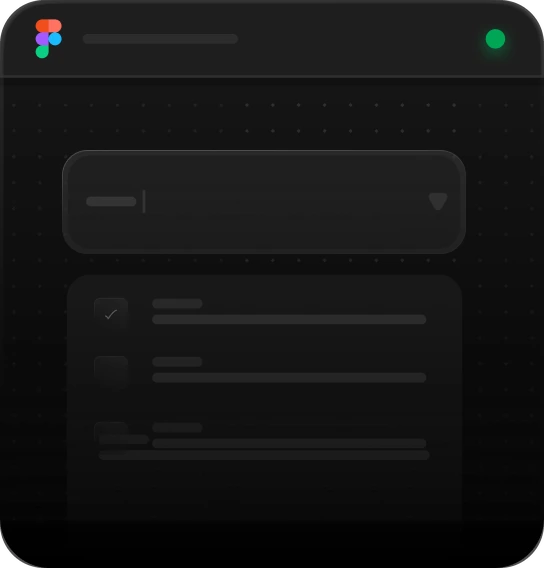
People picker
Best for
Sharing and assignment: pick a few people or groups, up to a limit
Anatomy
52px field · chips with a face or a glyph · sort · clear-all · list split into Groups and People, a checkbox each · the limit greys the rest out
Overflow tags
Best for
Narrow fields: chips fold into a counter once they outgrow the row
Anatomy
Brand chips with their close · the ellipsis · the solid counter carrying what is hidden · clear-all · list with a checkbox each
Comma tags
Best for
Free-text tagging: type, a comma commits, suggestions match as you go
Anatomy
Ruled field · the ring goes to border/strong while typing · spinner · suggestions over 46 tags, whole-word matches first, with the typed run in brand blue · arrow keys run the list · Backspace eats the last chip
Stack picker
Best for
Long option lists that carry a count: chips wrap and the field grows
Anatomy
350px field · chips with their colour dot · list of 44px rows with a checkbox, a dot, the name and its count · the field stacks as it fills
Using Tag Inputs
Reach for it when
- A recipient field taking a few people or groups, up to a stated cap
- Free-text labelling where the vocabulary grows as people use it
- Multi-select filters whose chosen values must stay on screen while the reader works
- A narrow field where chips have to fold into a counter rather than push the layout around
Reach for something else when
- The vocabulary is closed and known: a combobox tells the reader what the legal values are, while a tag input implies they can invent one
- Order matters, or each entry carries more than a name such as a role or a date; a list of rows holds structure a chip cannot
- There is only one value to collect: one chip in a field is a select in a costume, so use the select
Where it shows up
Invite fields
Sharing something with a few people or groups. Chips carry a face or a glyph so the reader recognises who is on the list, and once the cap is reached the remaining rows grey out instead of failing on submit.
Article tagging
A publishing tool where the vocabulary grows with use. Typing matches whole words first so a short query does not bury the obvious tag, a comma commits, and anything with no match can still be added as typed.
Saved filter sets
A view definition the reader builds and keeps. Each chip carries the colour dot its option had in the list, the list shows how many records sit behind each name, and the field stacks rather than scrolling as it fills.
Narrow recipient rows
A field in a sidebar or a compact form. Chips fill the row, then fold behind an ellipsis and a solid counter that states how many are hidden, so the layout holds while the full set stays one click away.
Questions
Which key should commit a tag?
Enter and comma both, and blur as well if the field can afford it. Enter is what people try first; comma is what mail clients taught them and what they will paste. Tab is the risky one, because it is also how people leave a field, and a tag committed on the way out surprises them. Say in the hint which keys work.
How should a tag input handle pasted text?
Split it. Real use starts with a list copied out of a spreadsheet, a mail header or a document, separated by commas or newlines. Treating that paste as a single tag produces one absurd chip and a reader who gives up. Split on the separators, trim each piece, drop the empties and duplicates, and leave anything invalid visible rather than discarding it silently.
Be first in,
and 10% off.
Join the list and we’ll email you the moment the code library and MCP server go live: with a 10% discount code to use whenever you decide to buy.


Tag Inputs
A tag input collects several short values in one field, committing each to a chip the reader can see and remove. It is the right control when the answer is a set rather than a value (recipients, labels, filters) and when the reader benefits from watching that set build. Four blocks cover people with faces on their chips, labels that fold into a counter when the row fills, free typing where a comma commits, and options that stack the field as it grows.
Real use of one of these usually starts with a paste. Someone copies a column of addresses out of a spreadsheet, or a list out of a mail header, and drops the whole thing in; a field that treats that as one tag has failed at the first genuine interaction. Split on commas and newlines, trim the pieces, drop the duplicates, and keep anything that does not parse visible rather than quietly swallowing it. A recipient that vanishes is worse than one flagged in red.
People picker
Best for
Sharing and assignment: pick a few people or groups, up to a limit
Anatomy
52px field · chips with a face or a glyph · sort · clear-all · list split into Groups and People, a checkbox each · the limit greys the rest out
Overflow tags
Best for
Narrow fields: chips fold into a counter once they outgrow the row
Anatomy
Brand chips with their close · the ellipsis · the solid counter carrying what is hidden · clear-all · list with a checkbox each
Comma tags
Best for
Free-text tagging: type, a comma commits, suggestions match as you go
Anatomy
Ruled field · the ring goes to border/strong while typing · spinner · suggestions over 46 tags, whole-word matches first, with the typed run in brand blue · arrow keys run the list · Backspace eats the last chip
Stack picker
Best for
Long option lists that carry a count: chips wrap and the field grows
Anatomy
350px field · chips with their colour dot · list of 44px rows with a checkbox, a dot, the name and its count · the field stacks as it fills
Using Tag Inputs
Reach for it when
- A recipient field taking a few people or groups, up to a stated cap
- Free-text labelling where the vocabulary grows as people use it
- Multi-select filters whose chosen values must stay on screen while the reader works
- A narrow field where chips have to fold into a counter rather than push the layout around
Reach for something else when
- The vocabulary is closed and known: a combobox tells the reader what the legal values are, while a tag input implies they can invent one
- Order matters, or each entry carries more than a name such as a role or a date; a list of rows holds structure a chip cannot
- There is only one value to collect: one chip in a field is a select in a costume, so use the select
Where it shows up
Invite fields
Sharing something with a few people or groups. Chips carry a face or a glyph so the reader recognises who is on the list, and once the cap is reached the remaining rows grey out instead of failing on submit.
Article tagging
A publishing tool where the vocabulary grows with use. Typing matches whole words first so a short query does not bury the obvious tag, a comma commits, and anything with no match can still be added as typed.
Saved filter sets
A view definition the reader builds and keeps. Each chip carries the colour dot its option had in the list, the list shows how many records sit behind each name, and the field stacks rather than scrolling as it fills.
Narrow recipient rows
A field in a sidebar or a compact form. Chips fill the row, then fold behind an ellipsis and a solid counter that states how many are hidden, so the layout holds while the full set stays one click away.
Questions
Which key should commit a tag?
Enter and comma both, and blur as well if the field can afford it. Enter is what people try first; comma is what mail clients taught them and what they will paste. Tab is the risky one, because it is also how people leave a field, and a tag committed on the way out surprises them. Say in the hint which keys work.
How should a tag input handle pasted text?
Split it. Real use starts with a list copied out of a spreadsheet, a mail header or a document, separated by commas or newlines. Treating that paste as a single tag produces one absurd chip and a reader who gives up. Split on the separators, trim each piece, drop the empties and duplicates, and leave anything invalid visible rather than discarding it silently.
Related blocks
All blocksBe first in, and 10% off.
Join the list and we’ll email you the moment the code library and MCP server go live: with a 10% discount code to use whenever you decide to buy.