
Text Areas
A text area is the multi-line field people write into (a comment, a chat message, a prompt, an issue description) together with the controls that sit around it. The three blocks in this family are three different jobs for the same box: a composer that tags people, a prompt field with attachment and model pickers under it, and a tabbed editor with formatting along the foot.
Enter is the contested key. In a chat composer Enter sends and Shift+Enter breaks the line; in an editor Enter must always break the line and sending belongs to the button. The component cannot guess which it is, so decide early and label it near the send control, because the person who learns the wrong one learns it by posting half a sentence. Height is the other decision: start at one line, grow with the content up to a ceiling and scroll after that. A tall empty box does nothing for the common case and pushes the footer controls off the reader's screen.
Tagging composer
Best for
Chat and comment fields that mention people: the tagged names sit above, the pill takes the message
Anatomy
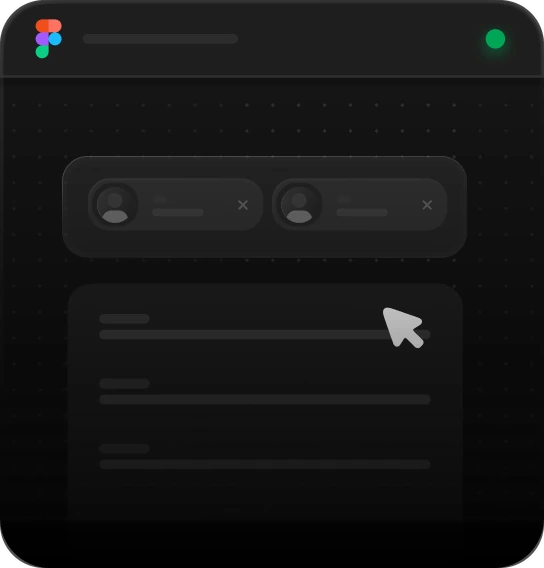
Attach button · people chips with avatar and status · pill field with the @mention lit · send
Prompt field
Best for
AI composers: a hint bar above the field, attachments, web, model and mode pickers, voice and send below
Anatomy
Hint bar with icon, message and link · field · footer: add, attach, web, model · mode, voice, send (disabled until there is text)

Please connect your account
Tabbed editor
Best for
Issue and task editors: one field, several sections, formatting underneath
Anatomy
Drag handle · tabs with the 2px underline · field · footer: font, size, colour · B I U · indent, align, quote · send
Using Text Areas
Reach for it when
- Input that might be one line or twenty: comments, replies, messages
- Composers that carry attachment, model or mode controls beneath the field
- Issue and task editors that need light formatting and nothing more
- Anywhere people paste several paragraphs at once
Reach for something else when
- A short single value like a name or a subject: a one-line input keeps the form's rhythm
- Documents with headings, tables and images. That is a rich editor's job
- Several values typed into one box: a tag input keeps them separable afterwards
Where it shows up
Chat composers
A message field that holds the people you have tagged as chips above it, an attachment control beside it, and a send that only lights once there is something to send.
AI prompt fields
An assistant's input, where most of the interface sits underneath the box: what to attach, whether to search the web, which model, which mode, and dictation for people who would rather talk.
Issue and task editors
A tracker's editor, with tabs over one field so description and details share a box, and enough formatting along the bottom for a code reference and a bulleted repro without becoming a document tool.
Inline review comments
A field that opens in place against the thing being discussed, grows as the argument gets longer, and keeps its submit reachable instead of pushing it off the bottom of a panel.
Questions
Should Enter send the message or insert a line break?
It depends what the field is. In a chat or comment composer, Enter sends and Shift+Enter breaks the line, because most messages are one line and reaching for a button every time is slow. In an editor where paragraphs are normal, Enter must break the line and sending belongs to a button. Whichever you choose, say so next to the control.
Should a text area grow with its content or scroll?
Grow, up to a limit, then scroll inside the field. Starting at one line suits the common case, and growing keeps the whole draft visible while it is short. Without a ceiling, a long paste pushes the send button and everything below it off screen. Never let the field shrink back below the line the person is typing on.
Be first in,
and 10% off.
Join the list and we’ll email you the moment the code library and MCP server go live: with a 10% discount code to use whenever you decide to buy.


Text Areas
A text area is the multi-line field people write into (a comment, a chat message, a prompt, an issue description) together with the controls that sit around it. The three blocks in this family are three different jobs for the same box: a composer that tags people, a prompt field with attachment and model pickers under it, and a tabbed editor with formatting along the foot.
Enter is the contested key. In a chat composer Enter sends and Shift+Enter breaks the line; in an editor Enter must always break the line and sending belongs to the button. The component cannot guess which it is, so decide early and label it near the send control, because the person who learns the wrong one learns it by posting half a sentence. Height is the other decision: start at one line, grow with the content up to a ceiling and scroll after that. A tall empty box does nothing for the common case and pushes the footer controls off the reader's screen.
Tagging composer
Best for
Chat and comment fields that mention people: the tagged names sit above, the pill takes the message
Anatomy
Attach button · people chips with avatar and status · pill field with the @mention lit · send
Prompt field
Best for
AI composers: a hint bar above the field, attachments, web, model and mode pickers, voice and send below
Anatomy
Hint bar with icon, message and link · field · footer: add, attach, web, model · mode, voice, send (disabled until there is text)
Please connect your account
Tabbed editor
Best for
Issue and task editors: one field, several sections, formatting underneath
Anatomy
Drag handle · tabs with the 2px underline · field · footer: font, size, colour · B I U · indent, align, quote · send
Using Text Areas
Reach for it when
- Input that might be one line or twenty: comments, replies, messages
- Composers that carry attachment, model or mode controls beneath the field
- Issue and task editors that need light formatting and nothing more
- Anywhere people paste several paragraphs at once
Reach for something else when
- A short single value like a name or a subject: a one-line input keeps the form's rhythm
- Documents with headings, tables and images. That is a rich editor's job
- Several values typed into one box: a tag input keeps them separable afterwards
Where it shows up
Chat composers
A message field that holds the people you have tagged as chips above it, an attachment control beside it, and a send that only lights once there is something to send.
AI prompt fields
An assistant's input, where most of the interface sits underneath the box: what to attach, whether to search the web, which model, which mode, and dictation for people who would rather talk.
Issue and task editors
A tracker's editor, with tabs over one field so description and details share a box, and enough formatting along the bottom for a code reference and a bulleted repro without becoming a document tool.
Inline review comments
A field that opens in place against the thing being discussed, grows as the argument gets longer, and keeps its submit reachable instead of pushing it off the bottom of a panel.
Questions
Should Enter send the message or insert a line break?
It depends what the field is. In a chat or comment composer, Enter sends and Shift+Enter breaks the line, because most messages are one line and reaching for a button every time is slow. In an editor where paragraphs are normal, Enter must break the line and sending belongs to a button. Whichever you choose, say so next to the control.
Should a text area grow with its content or scroll?
Grow, up to a limit, then scroll inside the field. Starting at one line suits the common case, and growing keeps the whole draft visible while it is short. Without a ceiling, a long paste pushes the send button and everything below it off screen. Never let the field shrink back below the line the person is typing on.
Related blocks
All blocksBe first in, and 10% off.
Join the list and we’ll email you the moment the code library and MCP server go live: with a 10% discount code to use whenever you decide to buy.